Execute first. Then Review.
Do both in the workspace. Write the draft, send it, and turn the comments on the same work.
How the workspace works
Execute
An Agent writes the draft in the workspace. The file on the desk is the current slide.
This turn
Send
The draft goes out. The same file stays here. A review is open.
Out for review
Comments land
Pins sit on the slide. The same notes sit in Reviews. Click either side. The pair lights together.
On the slide
Turn them
Chat writes the next draft from those comments. Then you send again, or you close the round.
Next turn
Execute
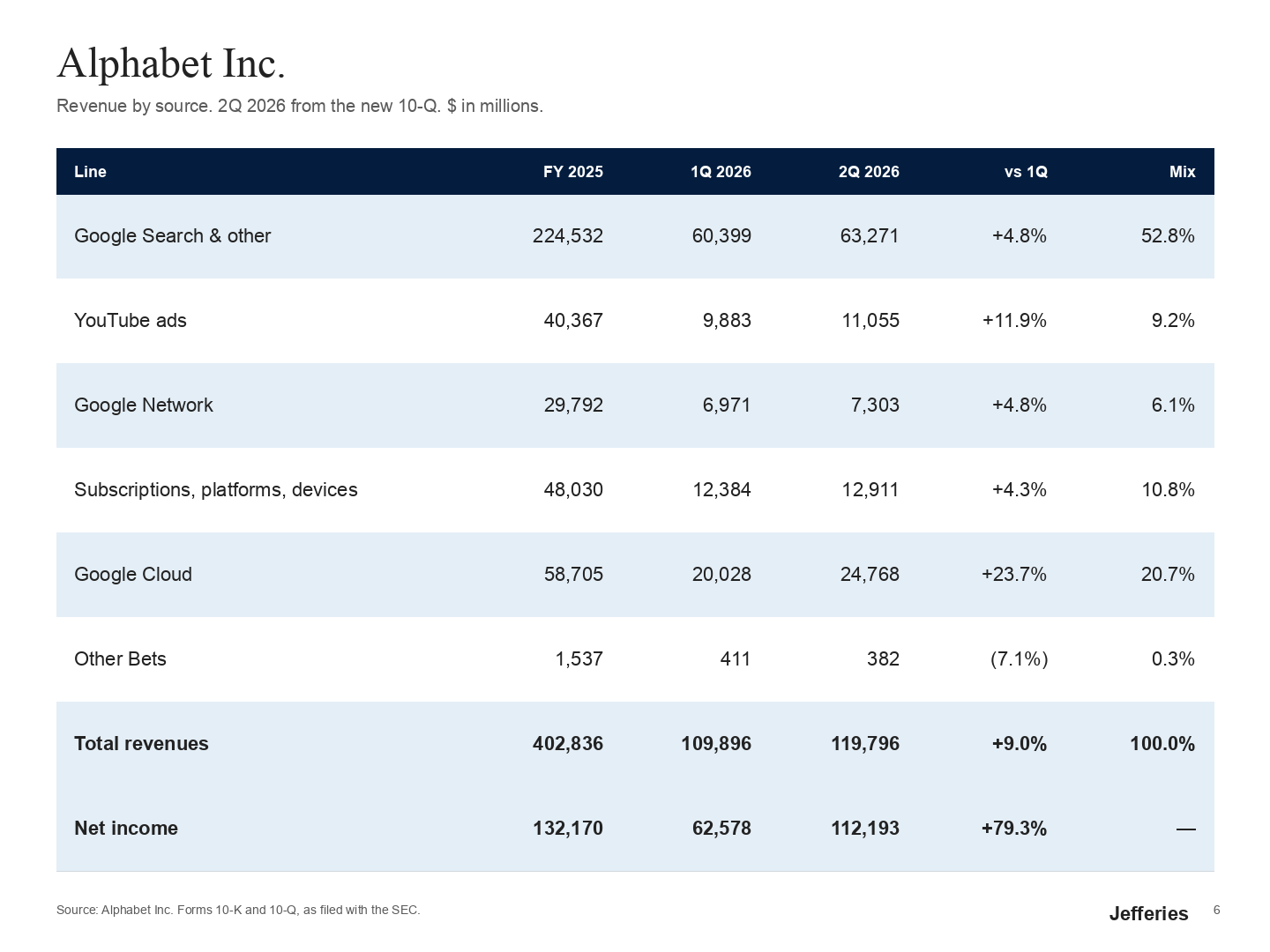
This turn wrote the slide. alphabet-earnings.pptx, page 6, from the 10-Q.
Review
After the draft exists. Send it. Comments land on the slide. You turn them here.
alphabet-earnings.pptx6
Click a pin or a comment. The pair lights together.